
i-ticketz is now a Trusted Partner of TicketSwap — resell your tickets safely.
Learn more →Everything for your team
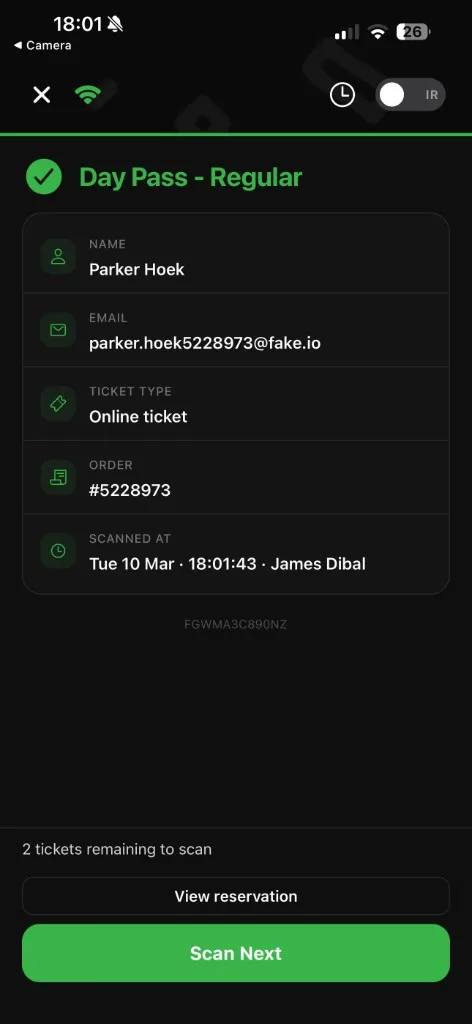
After scanning a QR code you immediately see whether the ticket is valid. The result shows the attendee's name, email address, ticket type, order number and the exact time of scanning.
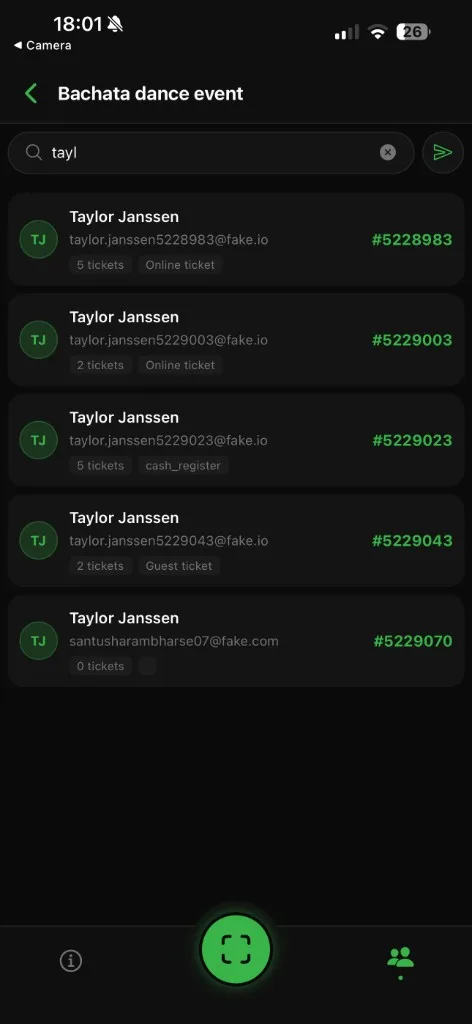
Type a name and instantly see all matching reservations — including ticket count and ticket type. Ideal when someone doesn't have their QR code at hand.
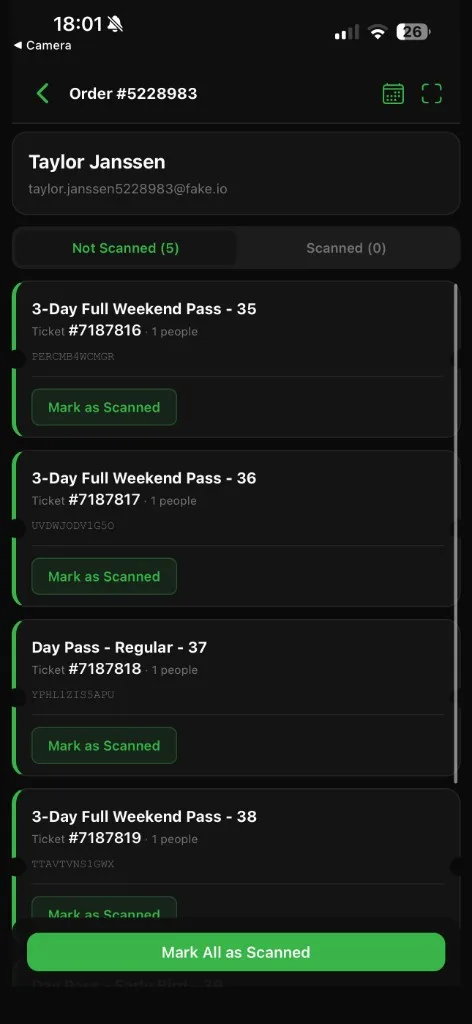
Open a reservation to see all tickets. Scan them one by one or use "Mark All as Scanned" to process an entire group at once.
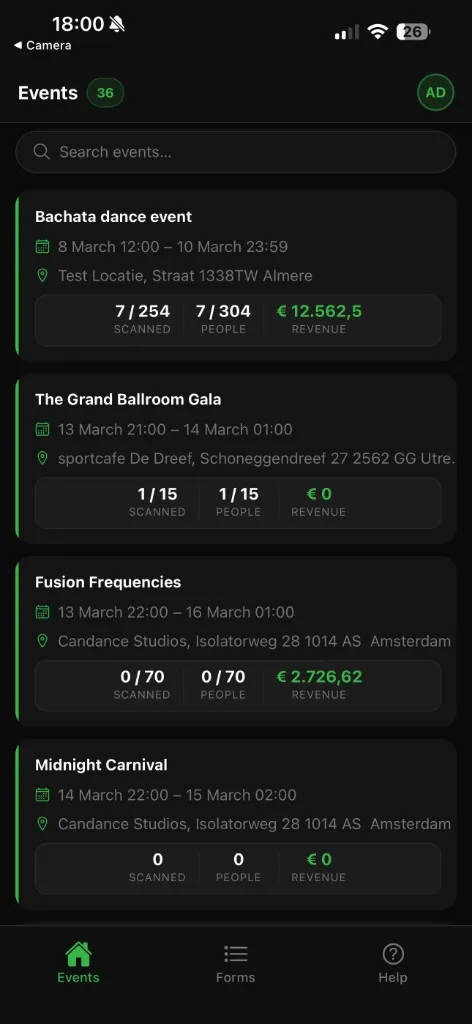
The home screen lists all your events with the number scanned, people count and revenue per event. Switch between Events, Forms and Help via the bottom bar.
While your event is running, see a live countdown with start and end time, location, and real-time counts for scanned tickets, sold tickets, people and guests.
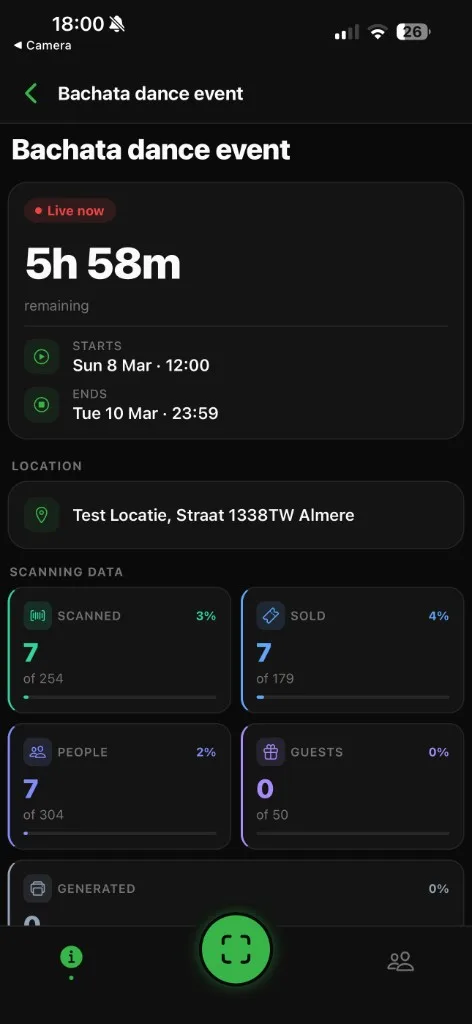
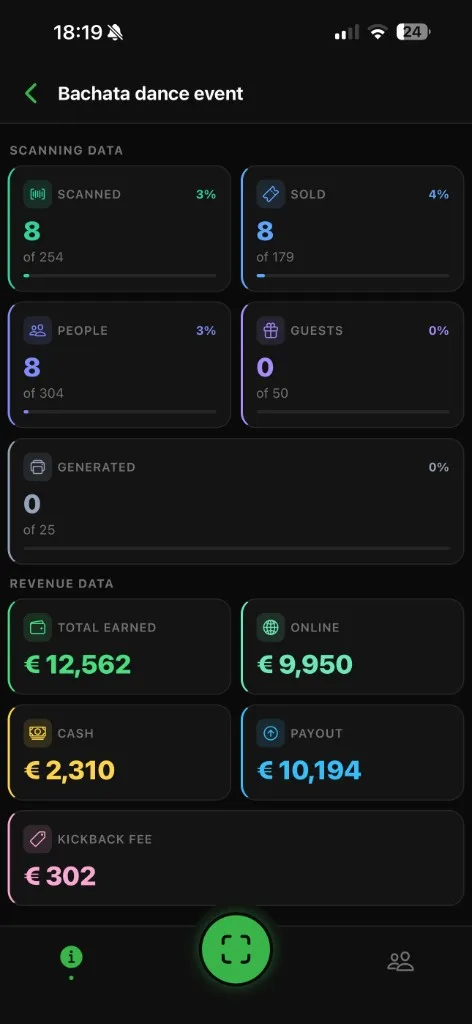
Track how many tickets are scanned, sold, how many people have entered and how many guests are registered. Revenue data is also shown directly in the app.
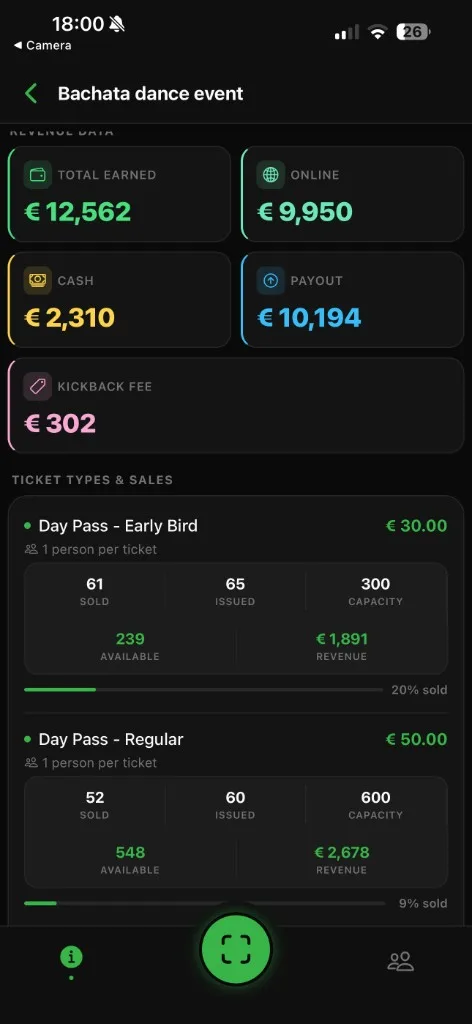
View detailed sales data per ticket type — sold, issued, capacity, still available and revenue per type. Everything you need to monitor your event finances on-site.
Cookie Consent
Customize
We use cookies to enhance your browsing experience, analyze site traffic, and personalize content. By clicking "Accept All", you consent to our use of cookies. Cookie Policy
We do not use any cookies for this purpose.